Manus + Adzviser MCP Tutorial: AI Agent for Marketing Data Analysis
This guide walks you through connecting Adzviser to Manus for autonomous, AI-powered marketing analysis.
Video Tutorial
Watch this quick walkthrough to see the complete setup process:
Prerequisites
Before you begin, make sure you have:
- An Adzviser account with at least one connected data source (Sign up here)
- A Manus account with access to Custom MCP connectors (sign up at manus.im). If the option is missing, check your account or team’s access with Manus before changing your Adzviser subscription.
Step 1: Access Manus Settings
Open Manus settings and look for Custom MCP as shown below. Manus’s current setup reference describes Settings → Integrations → Custom MCP Servers → Add Server; labels can differ from the recorded interface:
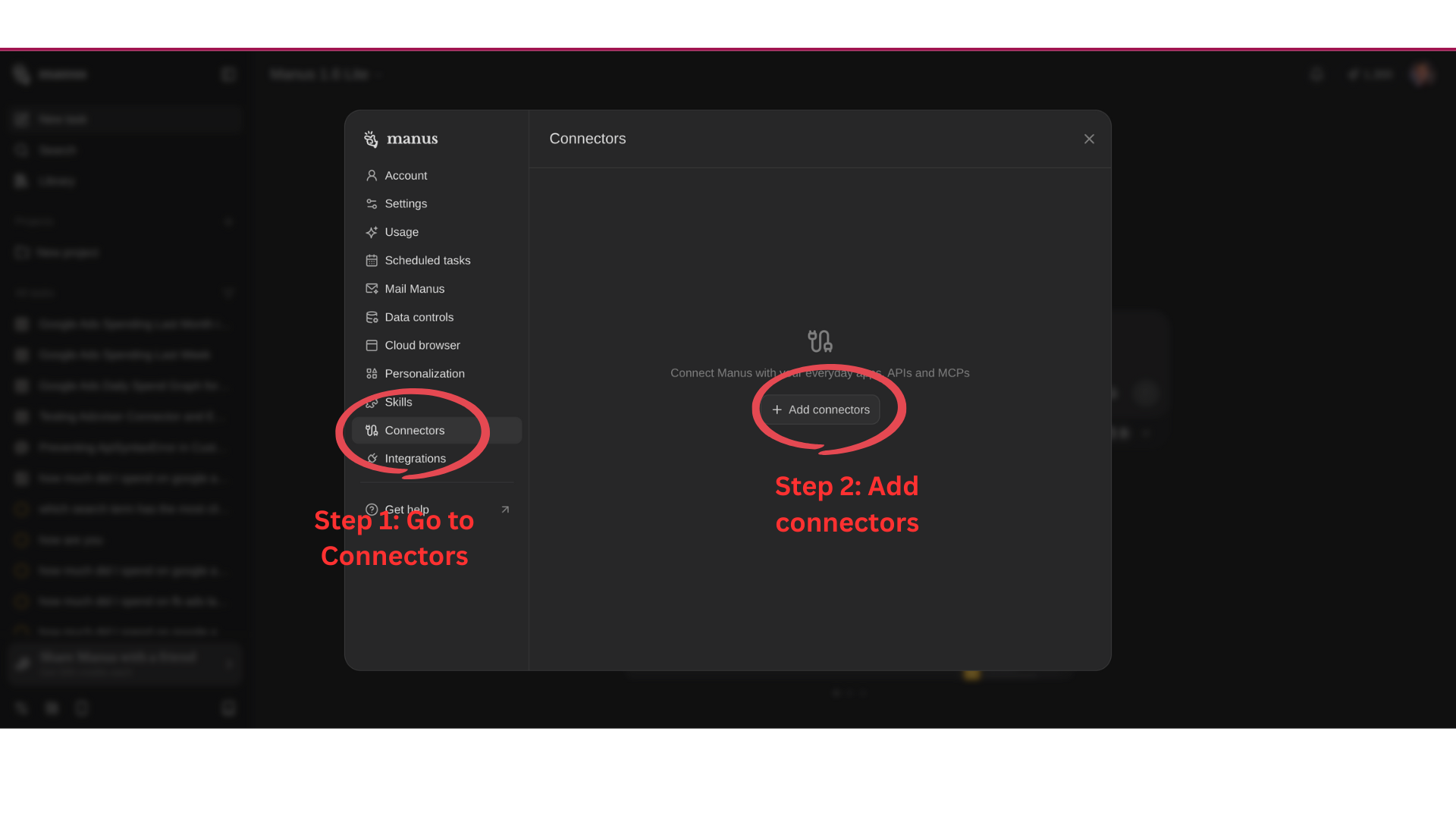
Step 2: Select Custom MCP
Choose Custom MCP to add Adzviser as an external data source:
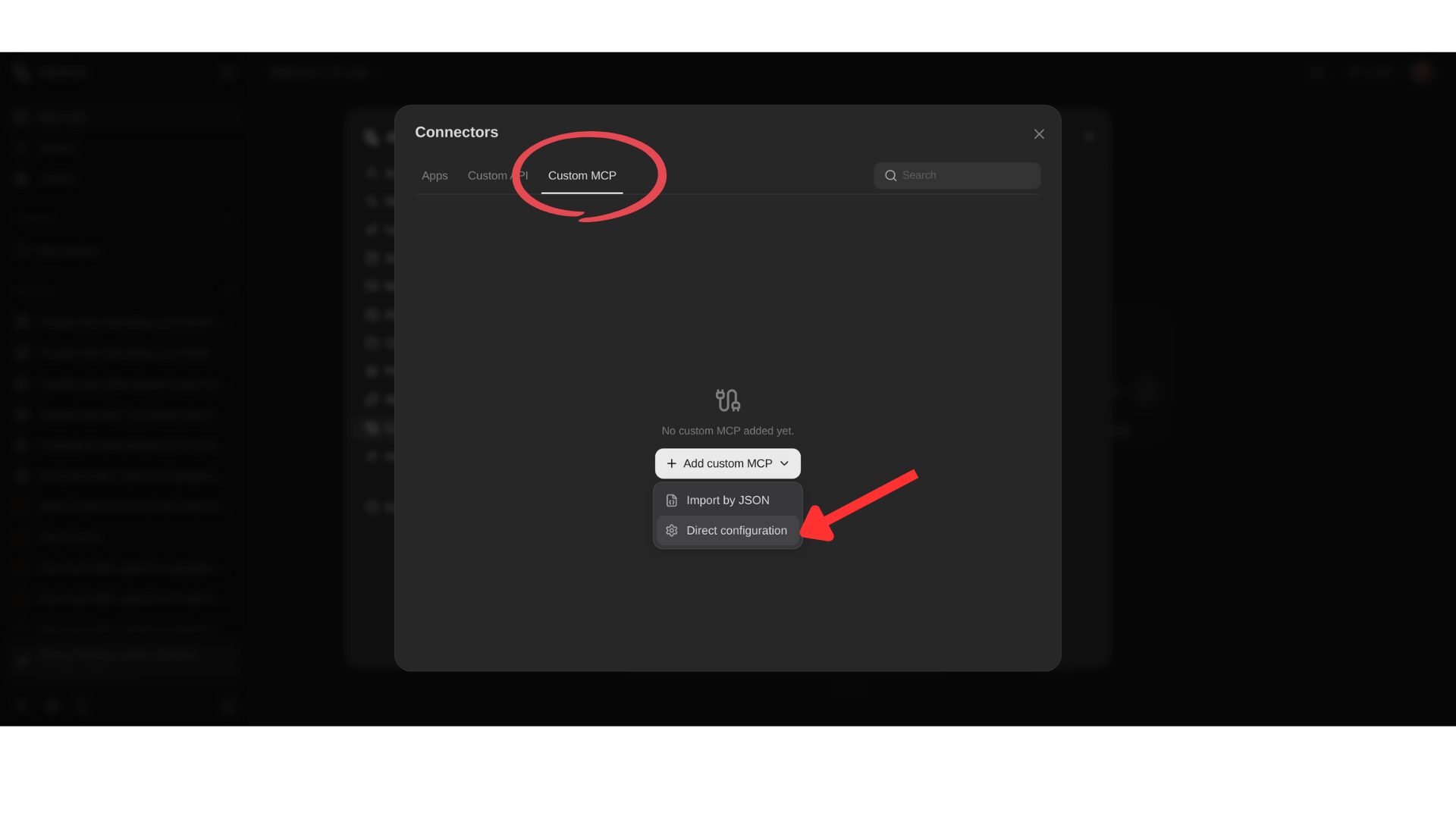
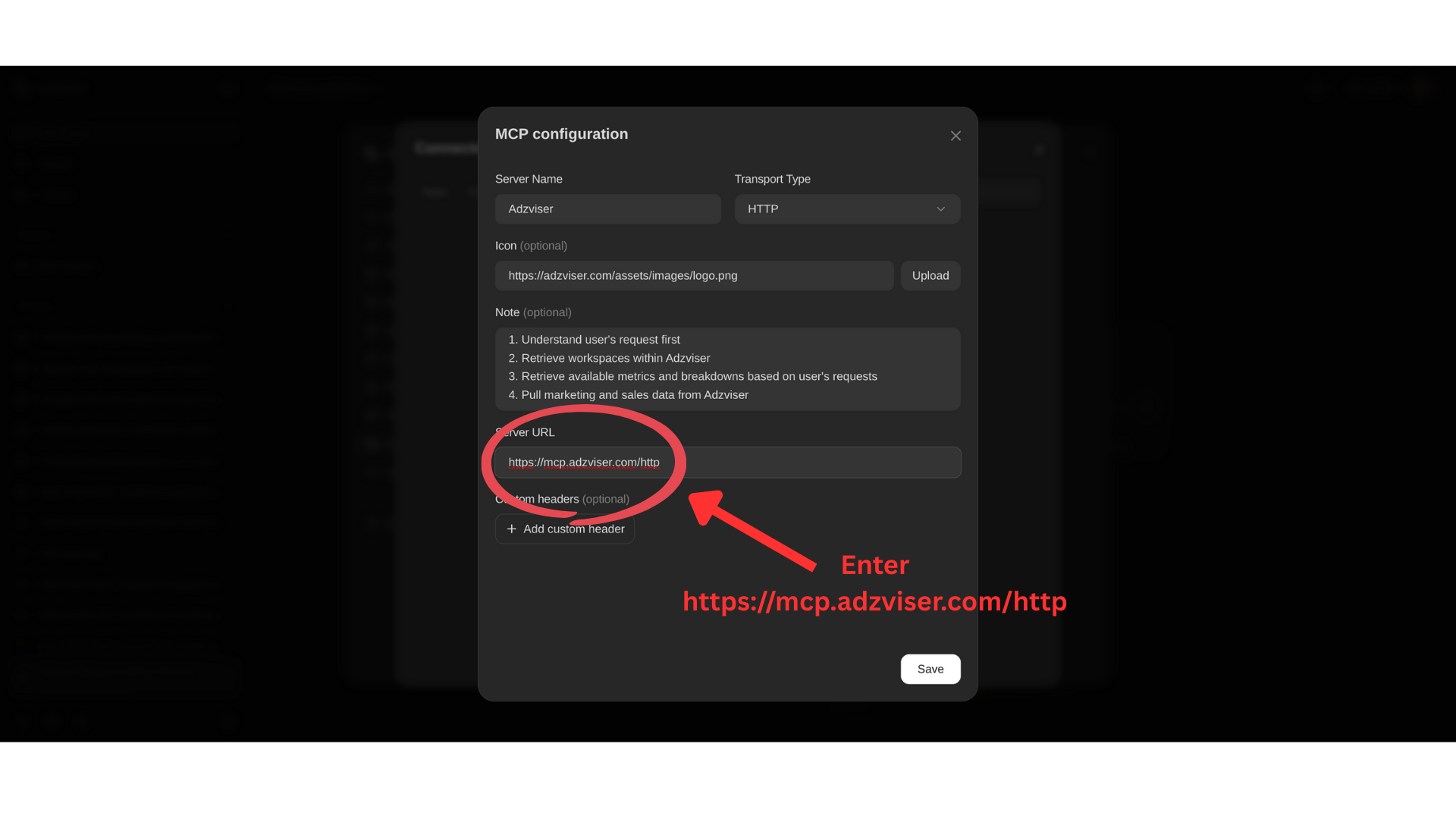
Step 3: Configure MCP Connection
Enter your Adzviser MCP settings:
- Server Name: Enter
Adzviser - Transport Type: Set to
HTTP - Icon: Enter
https://adzviser.com/assets/images/logo.png - Notes: Enter the following to guide the AI agent:
1. Understand user's request first 2. Retrieve workspaces within Adzviser 3. Retrieve available metrics and breakdowns based on user's requests 4. Pull marketing and sales data from Adzviser - Server URL: Enter
https://mcp.adzviser.com/http - Click Save
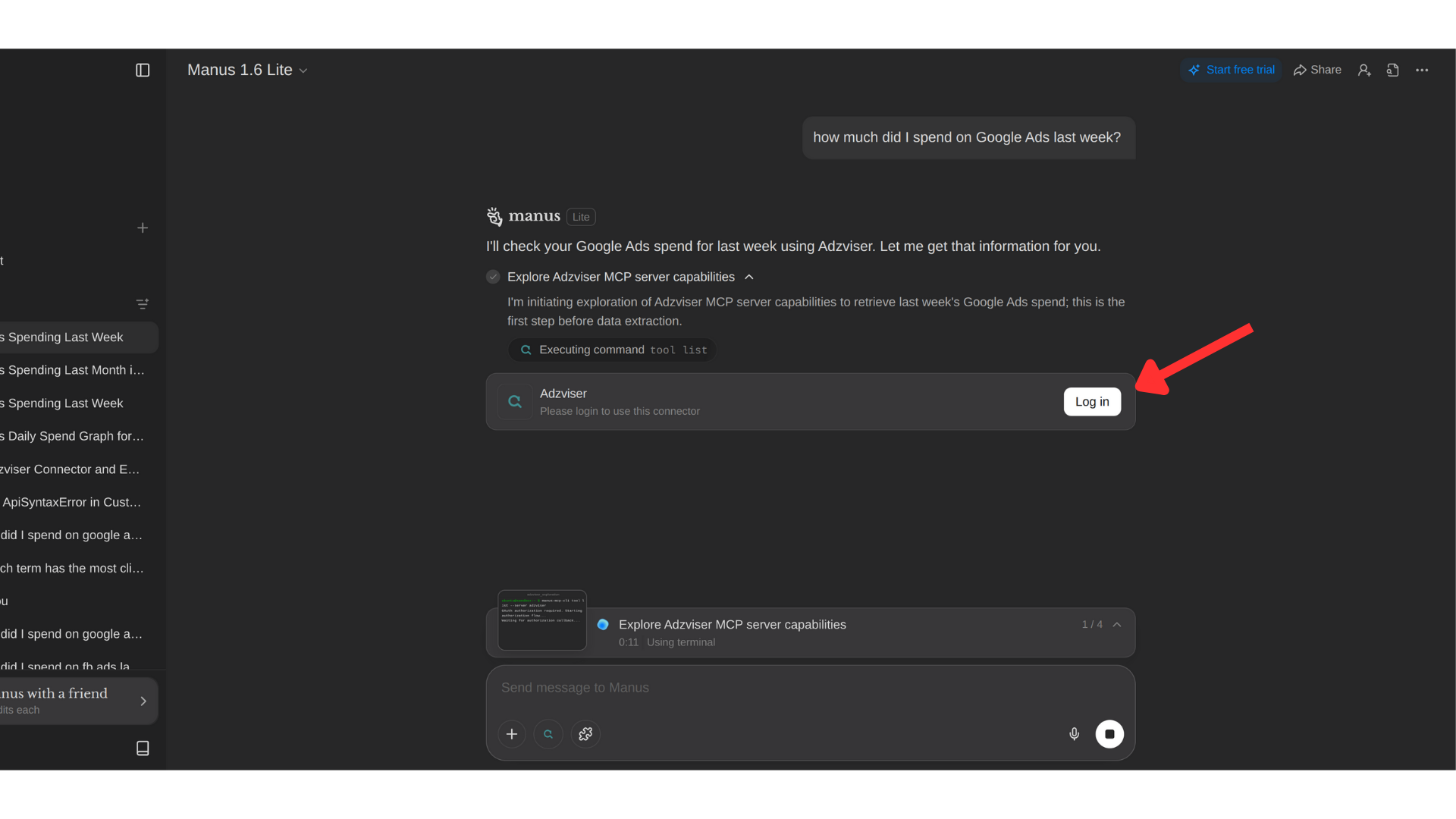
Step 4: Start Authentication
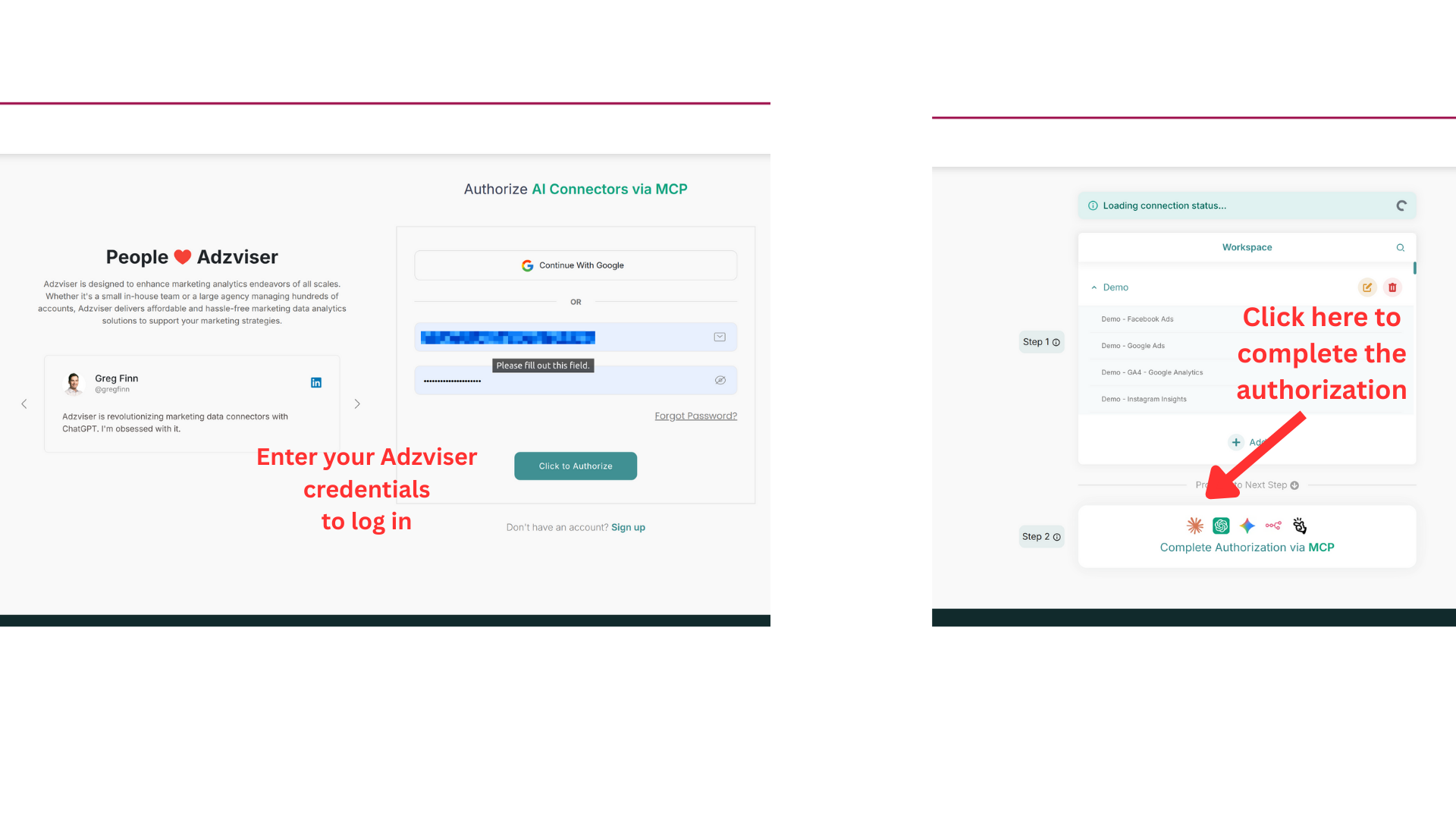
Go back to Manus and start a new conversation. When you ask Manus to query your marketing data, it will prompt you to log in to Adzviser (OAuth authorization). Click Log in to begin the authentication process:
Alternative: API Key Authentication
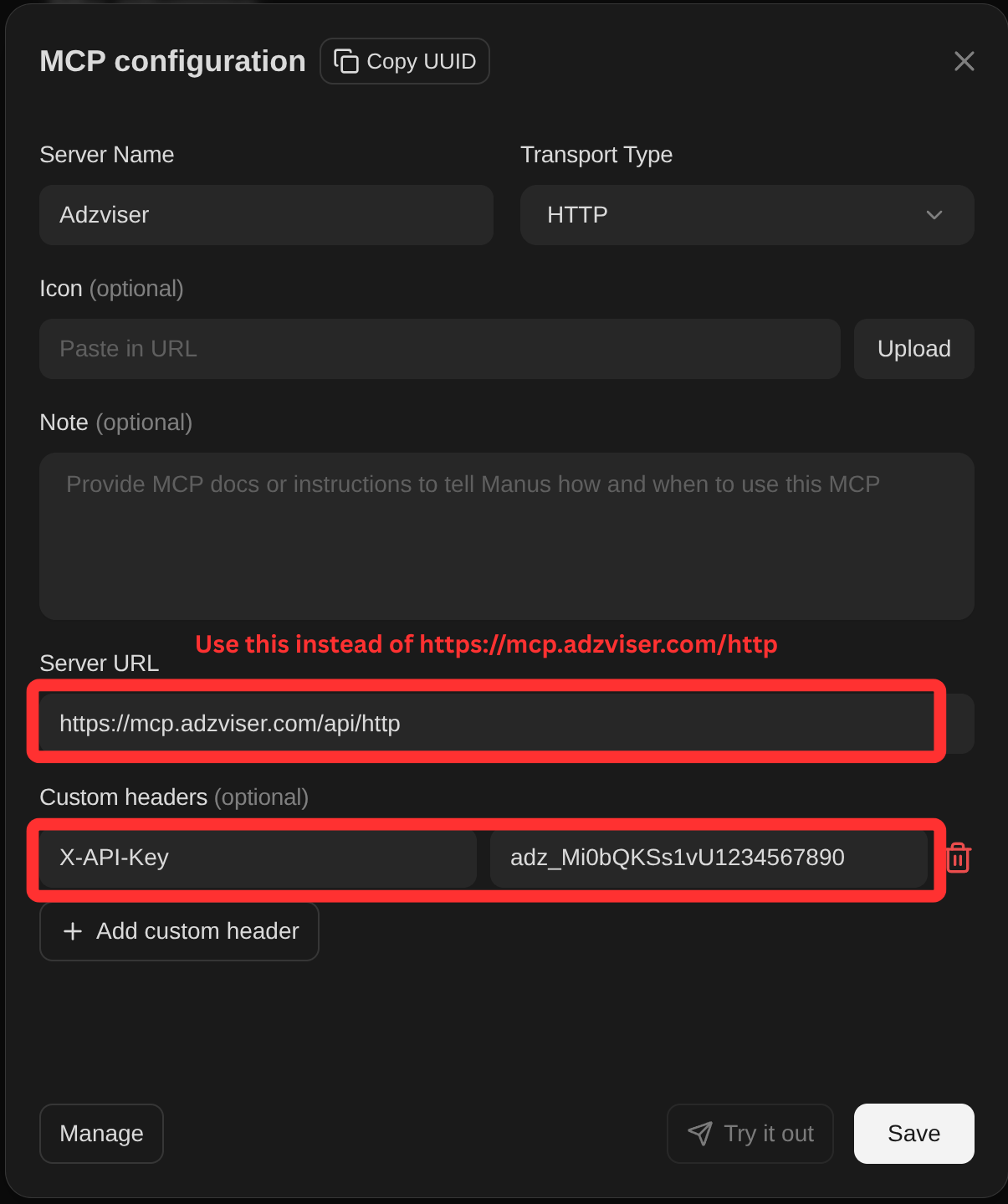
If the OAuth login in Step 4 does not work, you can authenticate using an API key instead. You'll need to change the Server URL to https://mcp.adzviser.com/api/http and add an X-API-Key header with your API key as its value under Custom Headers in the Adzviser connector settings.
Step 5: Complete Authentication
Authorize Manus to access your Adzviser account:
Step 6: Start Using Adzviser with Manus
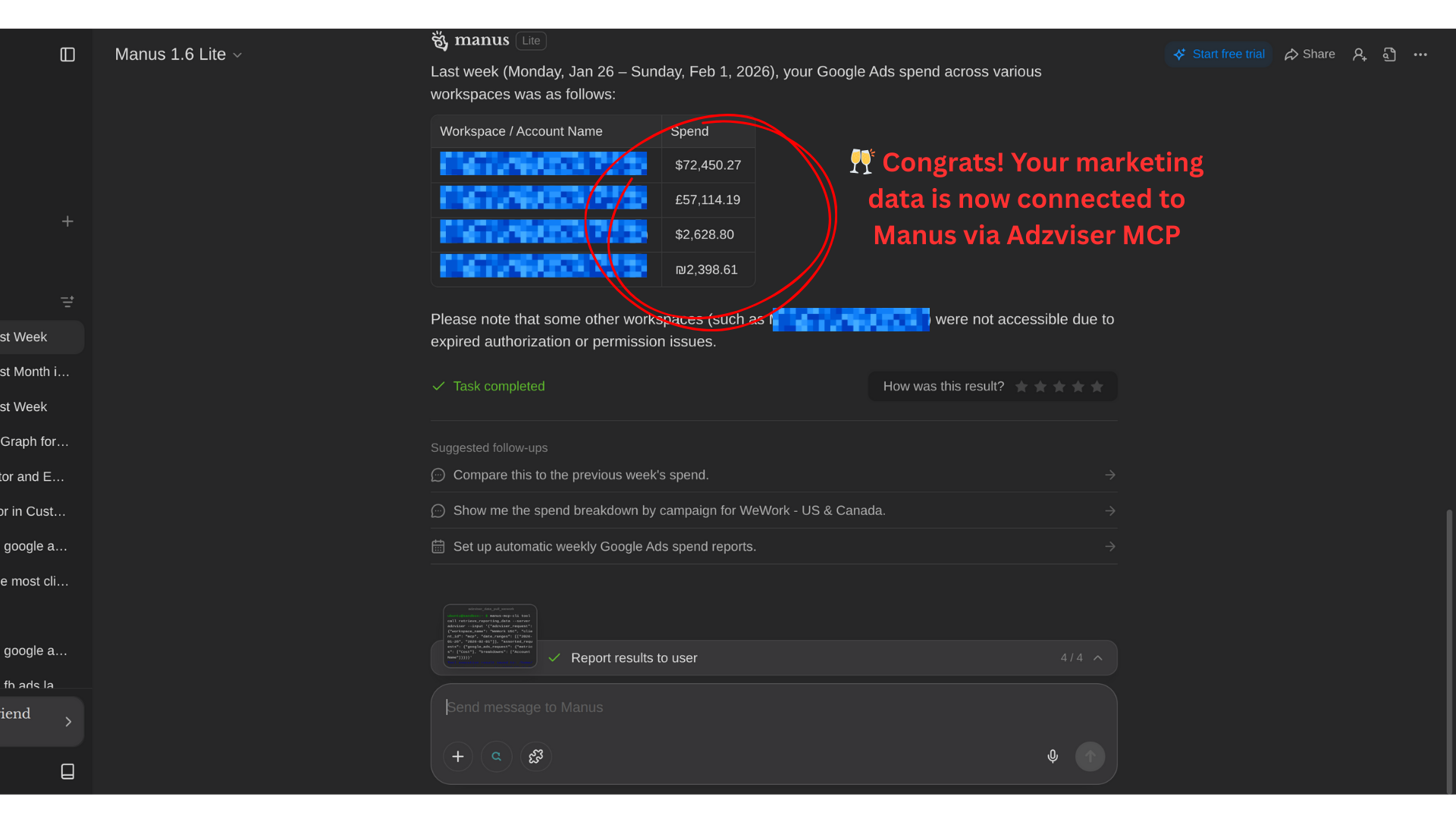
Congrats! Your marketing data is now connected to Manus via Adzviser MCP. You can start querying your marketing and sales data directly through Manus.
Example Prompts
Performance Analysis:
Analyze my Google Ads and Meta Ads performance for the last 30 days.
Compare spend, conversions, and ROAS across both platforms.
Identify the top 5 performing campaigns and explain why they're succeeding.
Optimization Recommendations:
Review my ad campaigns and find opportunities to improve performance.
Look for campaigns with high cost per conversion or low click-through rates.
Provide specific recommendations for each underperforming campaign.
Executive Report:
Create a weekly marketing performance report for the past 7 days.
Include key metrics, trends, and notable changes.
Format it as an executive summary suitable for stakeholders.
Tips for Best Results
- Be specific about what you want - Manus works best when you clearly describe the analysis or report (what metrics or breakdowns) you need
- Specify date ranges - Include time periods like "last 30 days" or "this month vs last month"
- Mention platforms - Tell Manus which data sources to analyze (Google Ads, Meta Ads, etc.)
- Request specific outputs - Ask for tables, summaries, recommendations, etc.
Need help? Contact us at https://adzviser.com/contact-us.