Authentication from Google Sheets
If you have used our ChatGPT plugin, this process should be very familiar.
Watch this guide to using Adzviser on Google Sheets
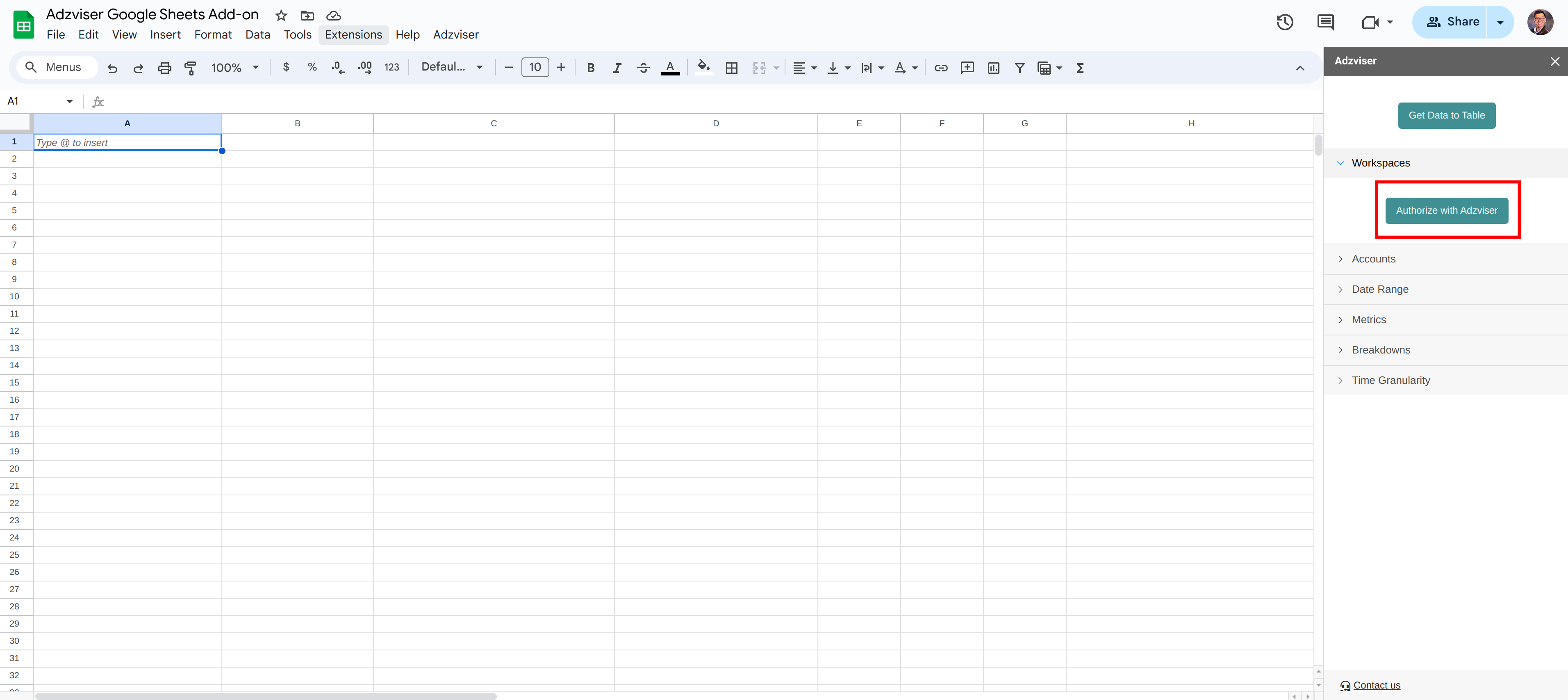
Step 1: Authorize with Adzviser
Expand "Workspaces" or "Accounts" dropdown menu, click "Authorize with Adzviser" button.
Step 2: Authorize
If you're an existing Adzviser user, simply enter your email and password, then select “Authorize”. For new users, you have the option to sign up for an Adzviser account or use “Continue with Google” for quick access to the Adzviser homepage.
Step 3: Finish OAuth Flow
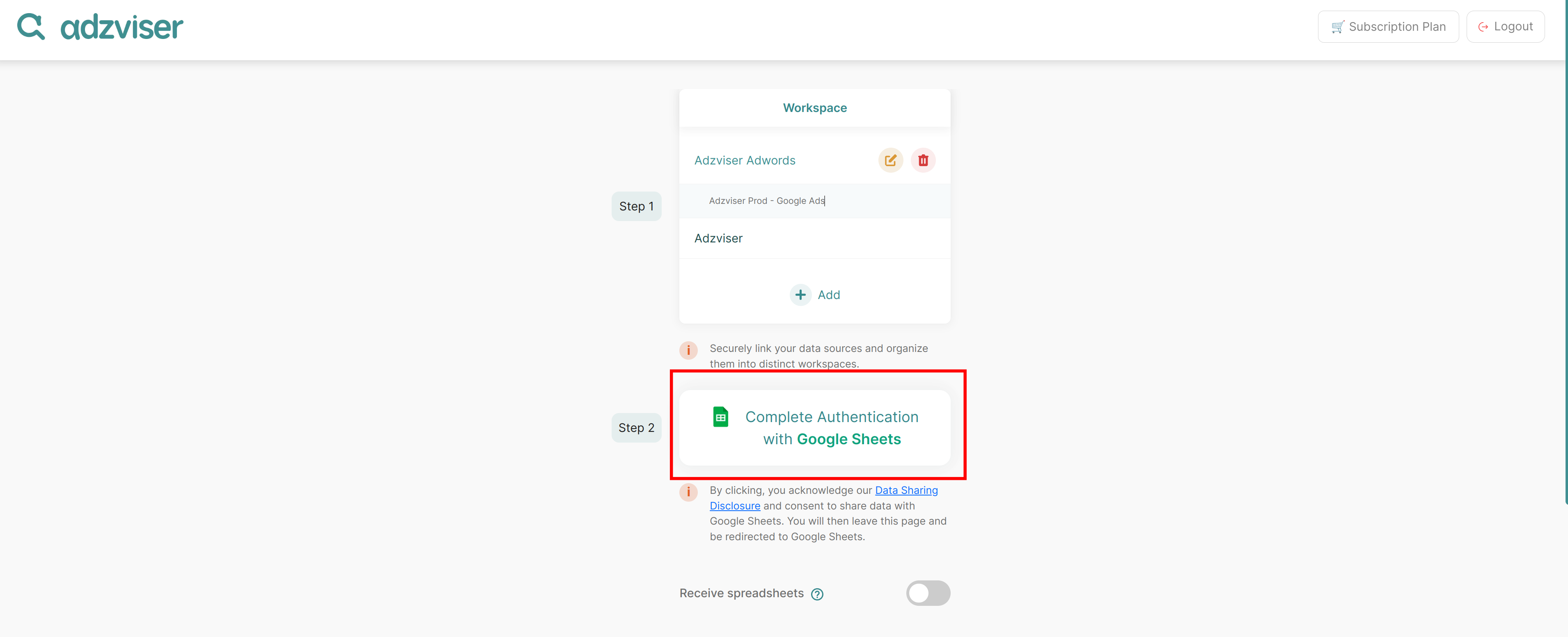
Once you have upgraded your subscription plan and created your workspace and connected data sources, you are ready to finish the OAuth flow. To complete the process, select "Complete Authentication with Google Sheets". You should then receive a message "Authorization complete. Please close this window." Feel free to close this tab.
Here are instructions for how to create a new workspace.