Get started with Adzviser in Data Studio
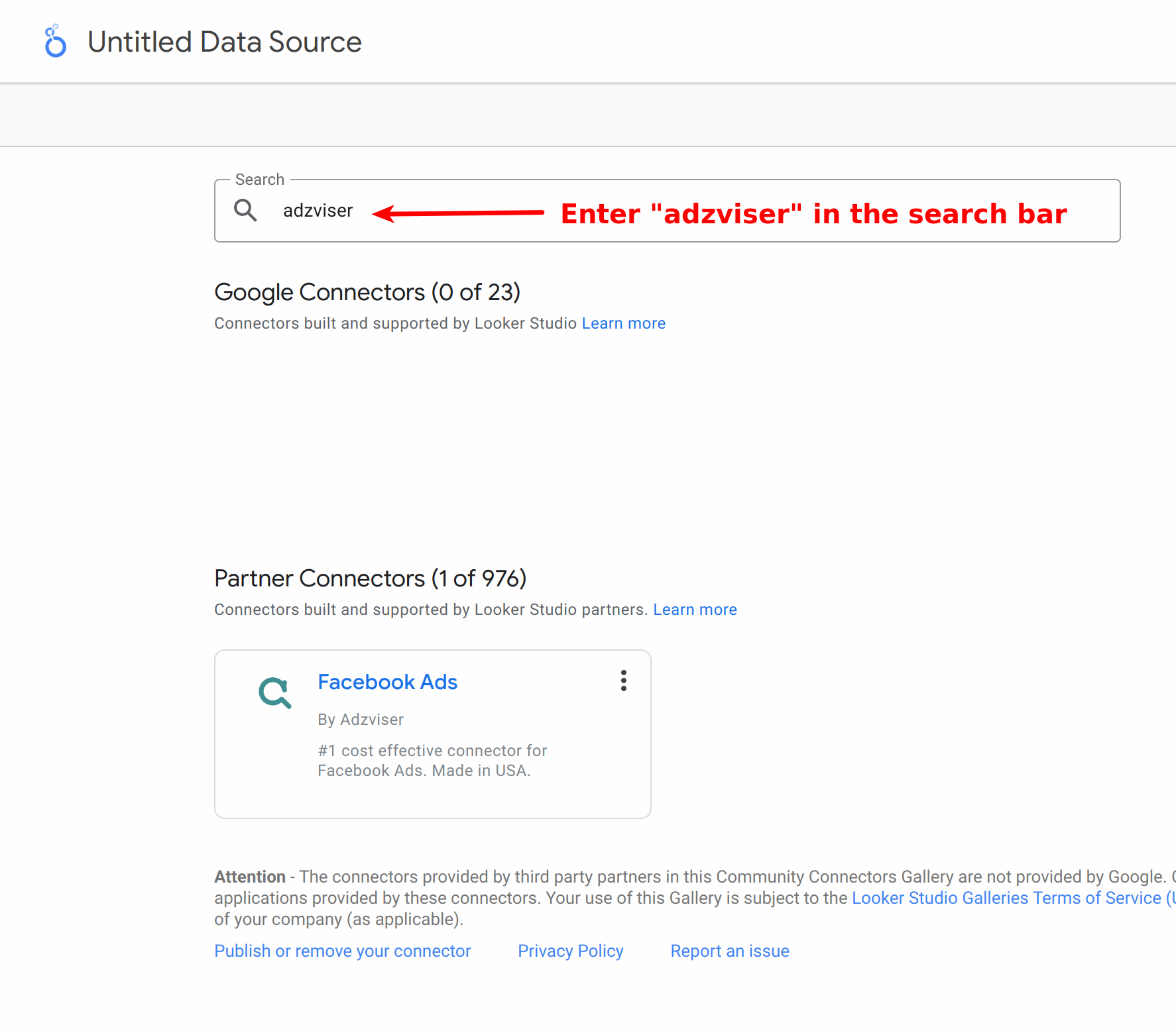
To start using Adzviser's community connectors, marketers should first locate our connectors and then complete the authorization process.
Watching this guide to using Adzviser in Data Studio
Adzviser's Data Studio connectors
- Facebook Ads
- Facebook Insights
- Instagram Insights
- Microsoft Bing Ads
- LinkedIn Ads
- Pinterest Ads
- TikTok Ads
- Snapchat Ads
- Shopify
- WooCommerce
- Klaviyo
- Mailchimp
- Google My Business
- Google Merchant Center
To find the full list of our available connectors, please visit Data Studio.
Authentication
When creating a report or data source in Data Studio, you might need to authorize and authenticate Adzviser through OAuth. The authorization process is similar to our ChatGPT plugin and Google Sheets add-on.
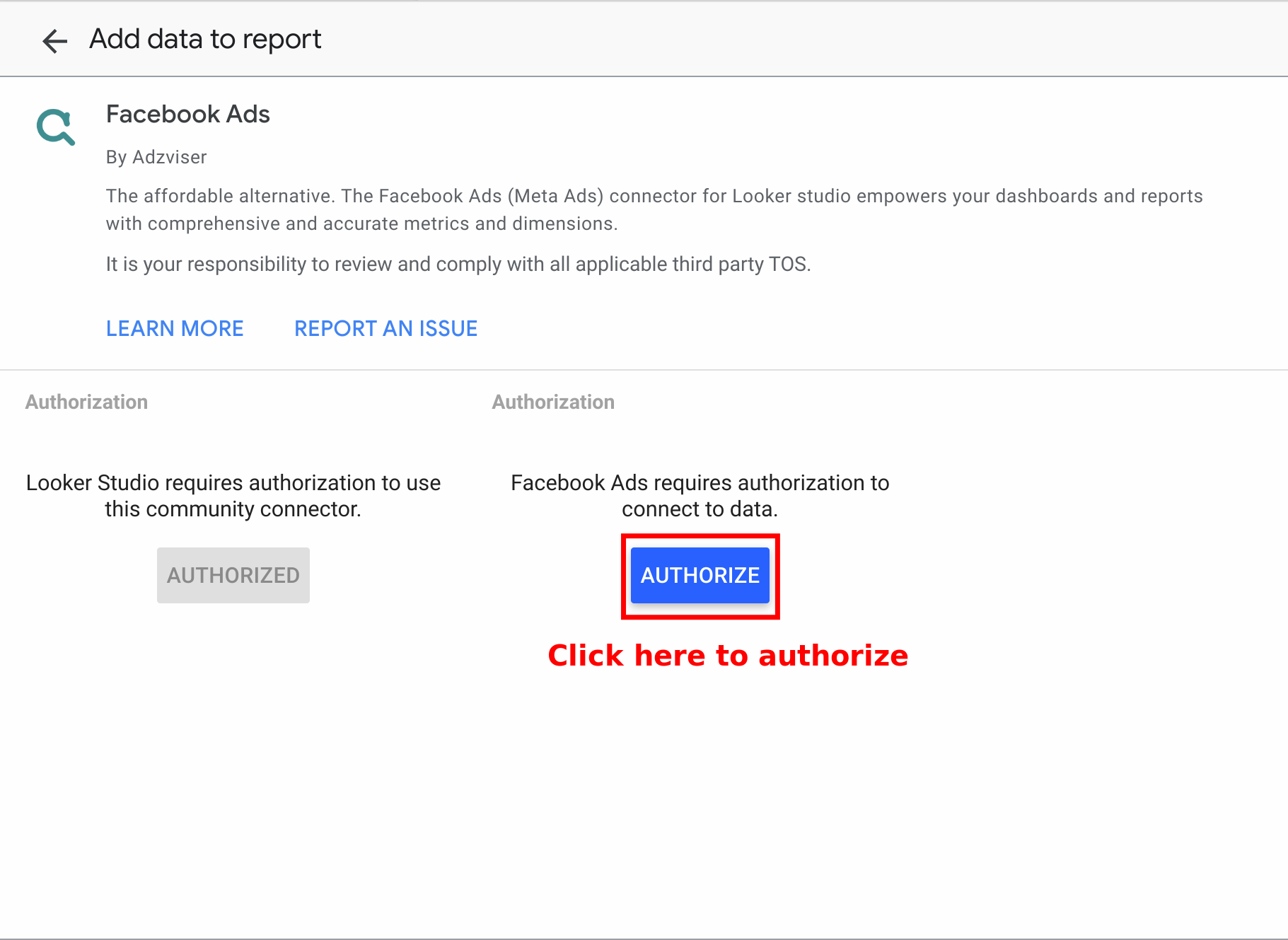
Step 1: Authorize
After selecting one of Adzviser's connectors, click "Authorize" button.
Step 2: Log in
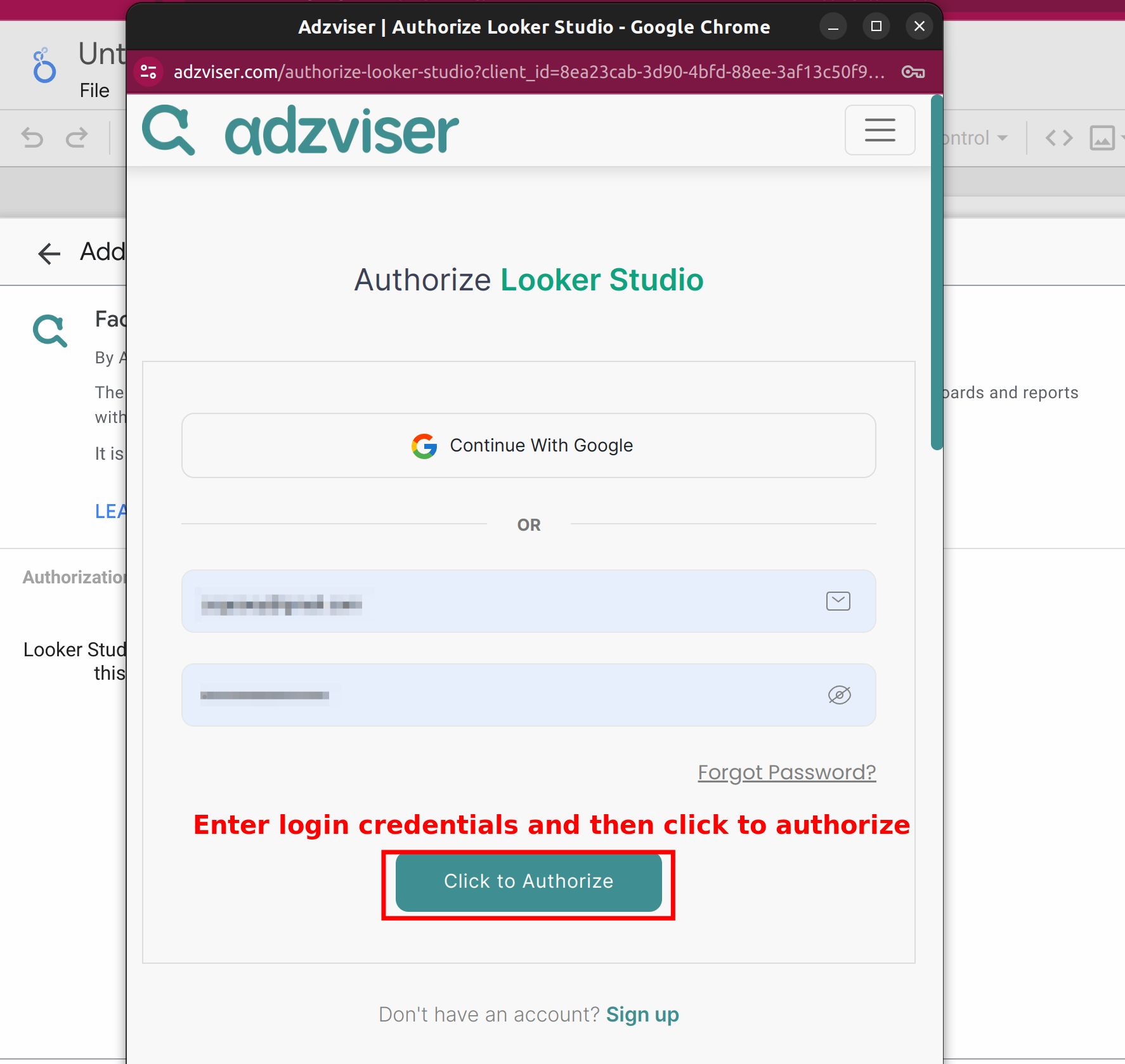
If you are already an Adzviser user, please simply enter your login credentials and select "Authorize". New users can either sign up for an Adzviser account or choose “Continue with Google” for immediate access to the Adzviser homepage.
Step 3: Finish OAuth Flow
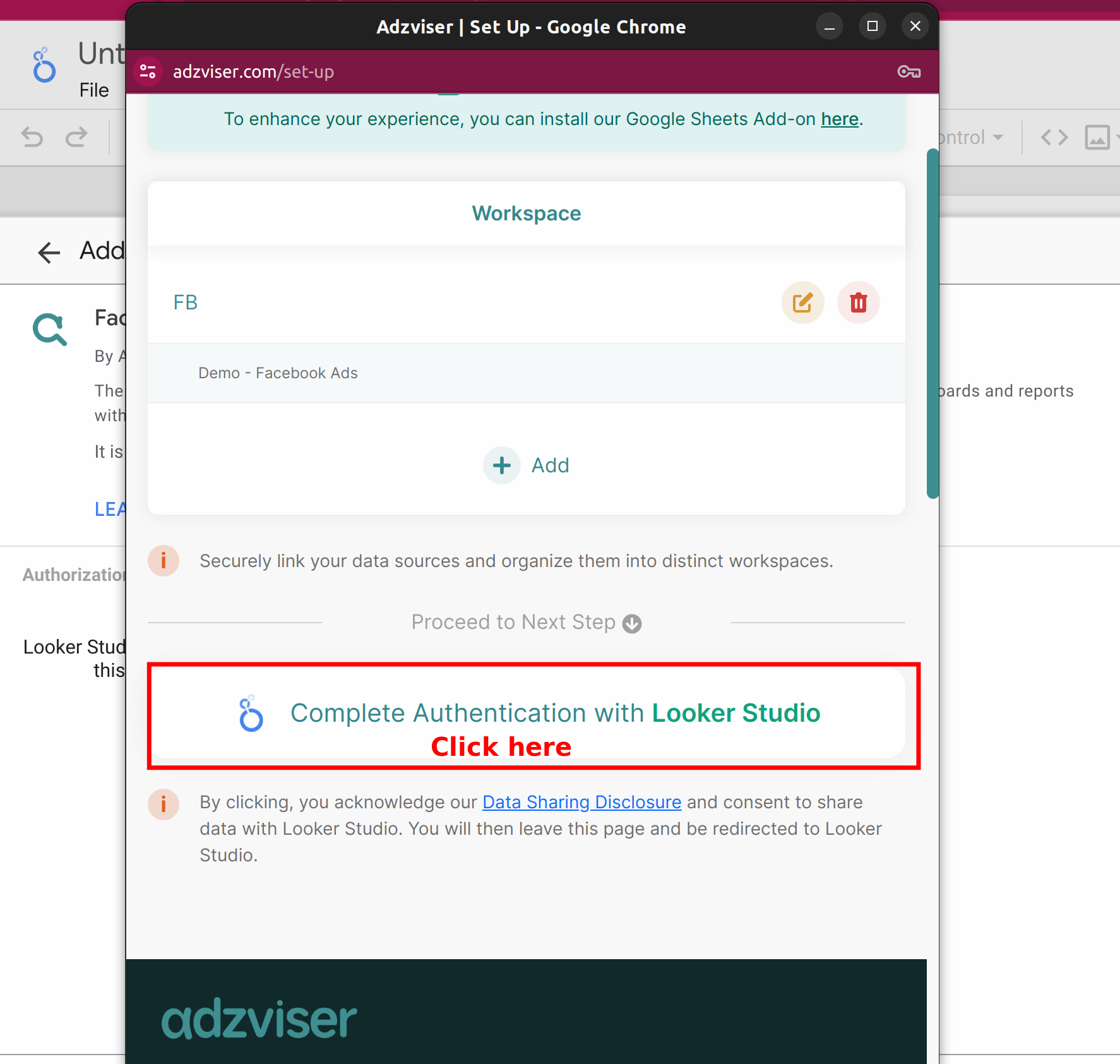
After upgrading your subscription plan and creating your workspace with connected data sources, you're ready to finish the OAuth process. To do this, select "Complete Authentication with Data Studio". Upon successful authentication, a message stating "Success! You can close this tab." will appear. At this point, you may close the tab.
Q&A
Will Adzviser offer community connectors for Google Ads, Google Analytics 4, and Search Console?
Adzviser will not provide community connectors for Google Ads, Google Analytics 4, Search Console, and other Google-provided marketing platforms. These connectors are already available for free directly through Data Studio.
Do subscribers have to pay extra to use Adzviser Data Studio connectors?
No, there is no additional charge for our paying subscribers to use our connectors.