API Key Authentication
You can authenticate with Adzviser using an API key instead of OAuth. This is useful when OAuth login is unavailable or when integrating with MCP clients like Manus, OpenClaw, and others.
Step 1: Generate an API Key
- Go to the Set Up page
- Click on Profile → Settings
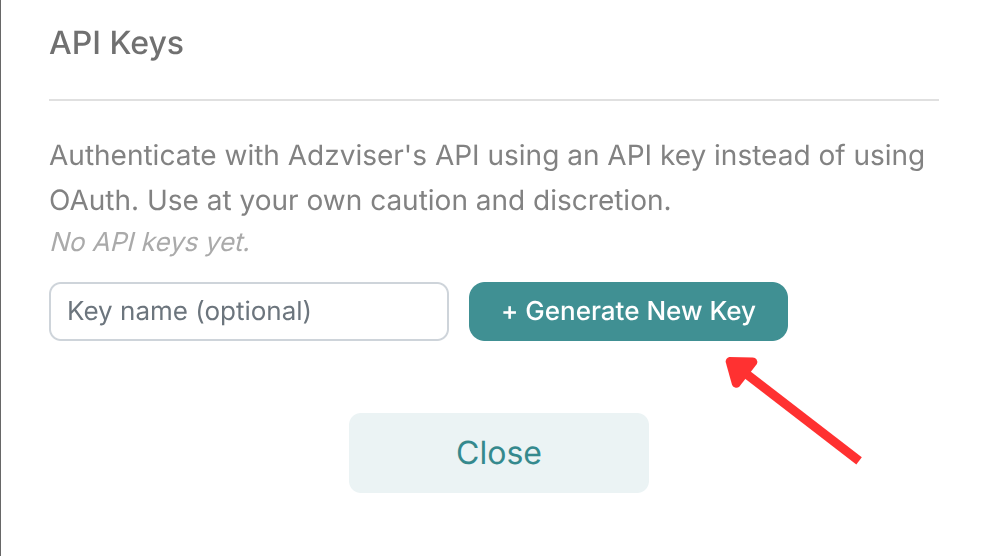
- Scroll to the API Keys section and click + Generate New Key
⚠️
Copy your API key immediately after generating it — it will not be shown again.
Step 2: Use the API Key
When connecting to Adzviser, pass your API key using the following header:
| Setting | Value |
|---|---|
| Header name | X-API-Key |
| Header value | Your generated API key |
| MCP Server URL | https://mcp.adzviser.com/api/http |
When using API key authentication, the MCP Server URL is https://mcp.adzviser.com/api/http — note the /api/http path, which is different from the OAuth URL https://mcp.adzviser.com/http.
Managing API Keys
You can view and revoke your existing API keys at any time from the Set Up page → Profile → Settings → API Keys.